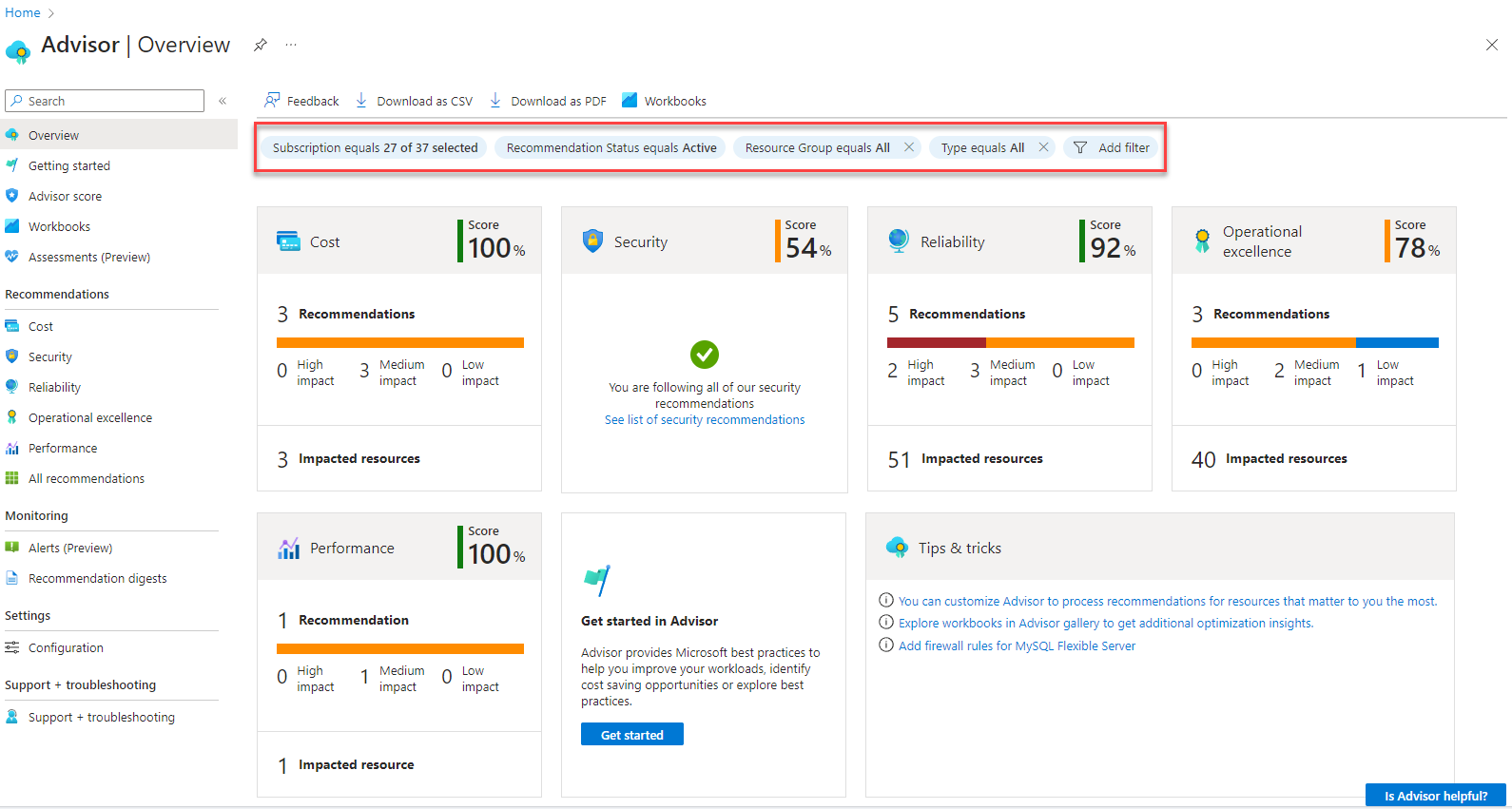
Azure Advisor - Create a recommendation suppression with Bicep
- Intro
- Step 1 - Find the recommendation ID
- Step 2 - Write the Bicep template
- Step 3 - Deploy with PowerShell/az CLI
- Verify the suppression was created
- Adapting this into a pipeline
Intro
This article is part of a series: Navigate to series page
In this post I show how to create an Azure Advisor recommendation suppression using Microsoft.Advisor/recommendations/suppressions with Bicep, and how to deploy it with PowerShell/az CLI. As the working example, I’ll suppress the cost recommendation “Consider virtual machine reserved instance to save over the on-demand costs” for 90 days.
Step 1 - Find the recommendation ID
The suppression resource is a child of a specific recommendations resource, so you need the recommendationId (an identifier - not always formatted as a GUID) before you can suppress anything. This is the same recommendations list I used in Part 2:
Connect-AzAccount
$subscriptionId = (Get-AzContext).Subscription.Id
$secureToken = (Get-AzAccessToken -ResourceUrl "https://management.azure.com/").Token
$token = ConvertFrom-SecureString -SecureString $secureToken -AsPlainText
$headers = @{ "Authorization" = "Bearer $token"; "Content-Type" = "application/json" }

$apiVersion = "2023-01-01"
$recUri = "https://management.azure.com/subscriptions/$subscriptionId/providers/Microsoft.Advisor/recommendations?api-version=$apiVersion"

$allRecommendations = @()
do {
    $recResponse = Invoke-RestMethod -Uri $recUri -Method Get -Headers $headers
    $allRecommendations += $recResponse.value
    $recUri = $recResponse.nextLink
} while ($recUri)

# Filter on the short description to find the reserved instance recommendation
$target = $allRecommendations | Where-Object {
    $_.properties.shortDescription.problem -like "*reserved instance*"
}

$target | Select-Object name, @{n='resourceId';e={$_.properties.resourceMetadata.resourceId}}, @{n='problem';e={$_.properties.shortDescription.problem}}
This gives you the name (the recommendationId) and the resourceId the recommendation applies to. For a cost recommendation like this one, resourceId is typically the subscription itself.
HINT
recommendationIdis not guaranteed to stay the same forever - Advisor can recalculate and regenerate a recommendation, which produces a new identifier. Always resolve it dynamically in your pipeline instead of hardcoding it. See Part 1 - Known limitations for more on this.
Step 2 - Write the Bicep template
The suppressions resource is a child of recommendations. Since Advisor recommendations are generated automatically (never deployed by you), the parent is referenced as an existing resource:
targetScope = 'subscription'

@description('The Advisor recommendation resource name (identifier, not always a GUID) to suppress, resolved from the recommendations list.')
param recommendationId string

@description('A friendly, deterministic name for this suppression.')
param suppressionName string = 'reserved-instance-cost-suppression'

@description('Duration the suppression is valid for, in TimeSpan format d.hh:mm:ss.')
param ttl string = '90.00:00:00'

resource recommendation 'Microsoft.Advisor/recommendations@2023-01-01' existing = {
  name: recommendationId
}

resource suppression 'Microsoft.Advisor/recommendations/suppressions@2023-01-01' = {
  parent: recommendation
  name: suppressionName
  properties: {
    suppressionId: guid(subscription().id, recommendationId, suppressionName)
    ttl: ttl
  }
}

output suppressionResourceId string = suppression.id
A few things worth calling out:
targetScope = 'subscription'is used because this particular recommendation’sresourceUriis the subscription itself. If you’re suppressing a recommendation tied to a specific resource (like a VM), the parentrecommendations existingresource needs ascopepointing at that resource instead - see the resource-scoped variant below.suppressionIdonly needs to be a GUID; I derive it deterministically with the built-inguid()function so re-running the same deployment produces the same value instead of a new random one each time.suppressionNameis the actual ARM resource name and must be unique per recommendation. Keep it deterministic and descriptive so it’s easy to recognize later.
Resource-scoped variant
If the recommendation applies to a specific resource rather than the subscription, reference the parent resource explicitly and put the recommendation existing resource in that resource’s scope:
targetScope = 'resourceGroup'

@description('Consider virtual machine reserved instance to save over the on-demand costs')
param recommendationId string

@description('The name of the VM the recommendation applies to.')
param vmName string

@description('A friendly, deterministic name for this suppression.')
param suppressionName string = 'vm-reservedinstance-suppression-${vmName}'

@description('Duration the suppression is valid for, in TimeSpan format d.hh:mm:ss.')
param ttl string = '07.00:00:00'

resource vm 'Microsoft.Compute/virtualMachines@2024-07-01' existing = {
  name: vmName
}

resource recommendation 'Microsoft.Advisor/recommendations@2023-01-01' existing = {
  name: recommendationId
  scope: vm
}

resource suppression 'Microsoft.Advisor/recommendations/suppressions@2023-01-01' = {
  parent: recommendation
  name: suppressionName
  properties: {
    suppressionId: guid(vm.id, recommendationId, suppressionName)
    ttl: ttl
  }
}
Step 3 - Deploy with PowerShell/az CLI
For the subscription-scoped example, deploy with New-AzSubscriptionDeployment:
# RecommendationId must be replaced with the value you would like to suppress
$recommendationId = "84463ab3797e4b45703fb4a0734a5c030c79098dc1066c78926dfbbe8880bee5"

New-AzSubscriptionDeployment `
    -Location "westeurope" `
    -TemplateFile "./suppress-reserved-instance.bicep" `
    -recommendationId $recommendationId `
    -suppressionName "reserved-instance-cost-suppression" `
    -ttl "90.00:00:00"
For the resource-scoped variant, deploy at resource group scope instead:
$recommendationId = "84463ab3797e4b45703fb4a0734a5c030c79098dc1066c78926dfbbe8880bee5"

New-AzResourceGroupDeployment `
    -ResourceGroupName "rg-avd-prod" `
    -TemplateFile "./suppress-reserved-instance.bicep" `
    -recommendationId $recommendationId `
    -vmName "vm-avd-01"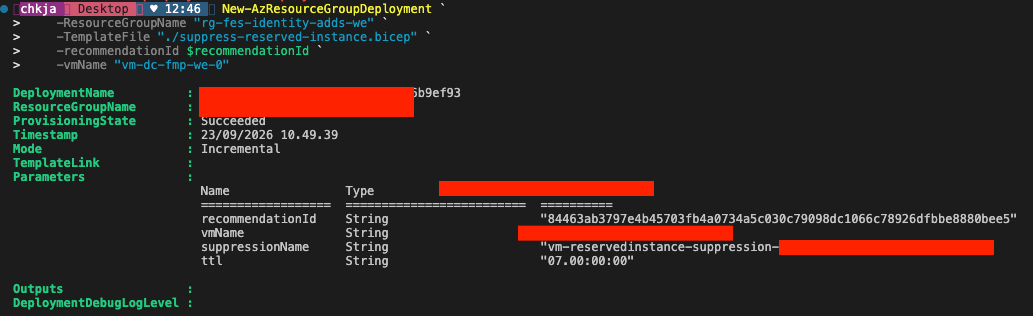
Verify the suppression was created
Re-run the list script from Part 2, or query the specific suppression directly. For the subscription-scoped example:
$verifyUri = "https://management.azure.com/subscriptions/$subscriptionId/providers/Microsoft.Advisor/recommendations/$recommendationId/suppressions/reserved-instance-cost-suppression?api-version=$apiVersion"
Invoke-RestMethod -Uri $verifyUri -Method Get -Headers $headers | ConvertTo-Json -Depth 10
For the resource-scoped variant, prefix the URI with the resource path instead of the bare subscription:
$verifyUri = "https://management.azure.com/subscriptions/$subscriptionId/resourceGroups/rg-avd-prod/providers/Microsoft.Compute/virtualMachines/vm-avd-01/providers/Microsoft.Advisor/recommendations/$recommendationId/suppressions/high-availability-suppression?api-version=$apiVersion"
Invoke-RestMethod -Uri $verifyUri -Method Get -Headers $headers | ConvertTo-Json -Depth 10
Adapting this into a pipeline
For a repeatable pipeline flow:
- Run a “resolve” step first (like the recommendation lookup script above) and pass
recommendationIdas a pipeline variable or deployment parameter - don’t hardcode it in the Bicep file or parameters file. - Keep
suppressionNamestatic and descriptive per recommendation/resource combination, so re-runs are idempotent updates rather than creating duplicate suppression names. - Store the
ttlvalue in your pipeline configuration (for example asuppressions.jsonfile listing recommendation problem text, target resource, and desired TTL) so business justification and review history live in source control next to the template.
In the next post I cover updating an existing suppression - for example extending its TTL - using the same Bicep template:
Azure Advisor - Update a suppression with Bicep
Have feedback on this post?
Send me a message and I'll get back to you.