Azure Local - Kubernetes - Part 3 - Fix: AKS Arc deployment stuck in Failed state despite healthy cluster
Intro
This article is part of a series: Navigate to series page
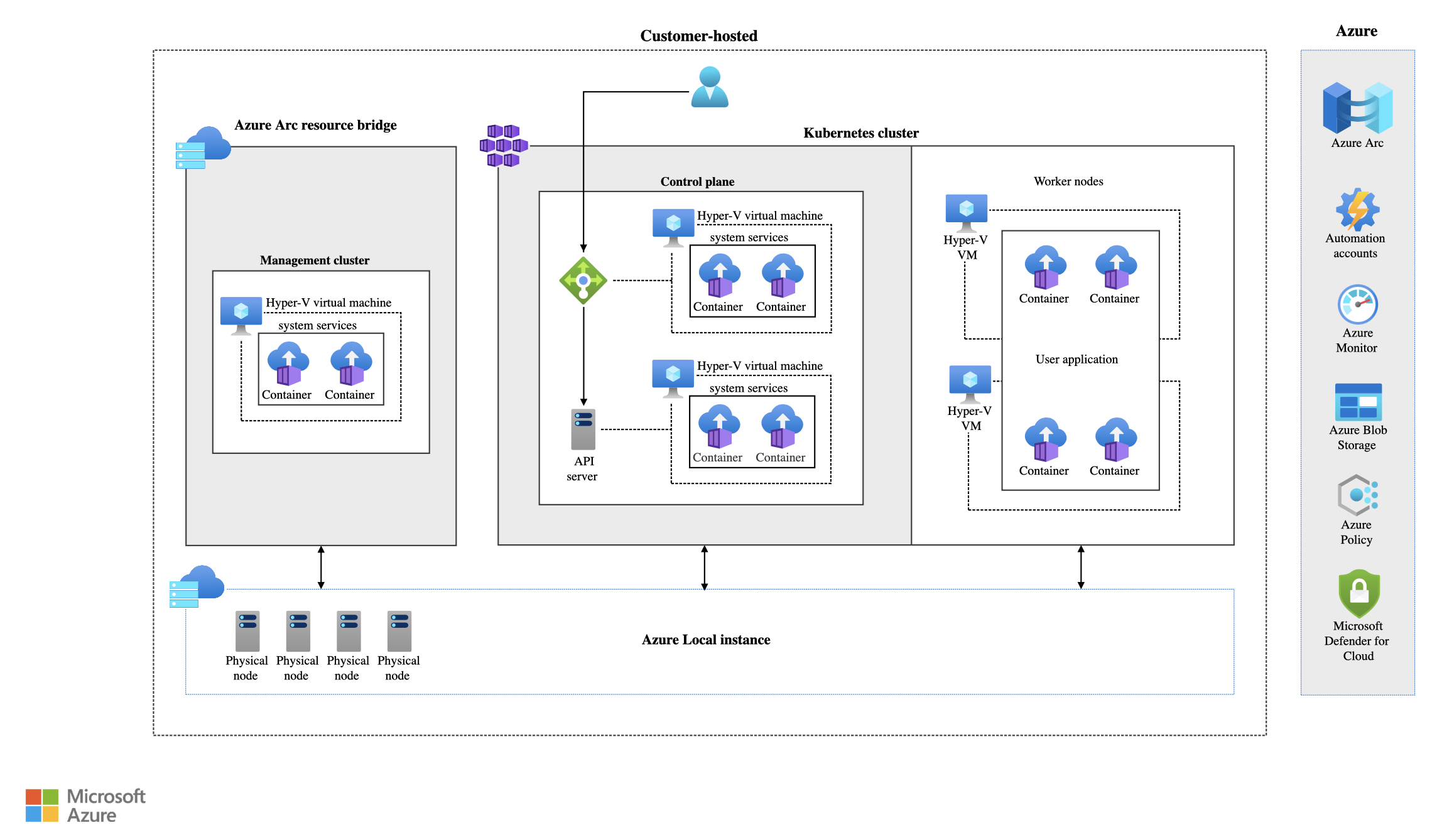
When deploying a Kubernetes cluster (AKS Arc) on Azure Local, the deployment may fail with the following error:
Error: Failed to either reach kube-apiserver or control plane IP 192.168.0.49:6443 of Kubernetes cluster k8s-azhcickj4-bed20612 from Arc Resource Bridge IP [192.168.0.232]. Read aka.ms/aks-arc-kubeapiserver-unreachable for more information. Detailed message: failed to reach kube-apiserver on 192.168.0.49:6443. Please check that 192.168.0.49:6443 is reachable and the kube-apiserver is running (Code: APIServerNotOnline)
This error looks alarming — it suggests the Kubernetes API server is unreachable. But when you investigate, you may find that everything is actually running fine. The control plane VM is up, the node is healthy, and the Arc connected cluster shows Connected. Yet the Azure resource is stuck with provisioningState: Failed.
In this article I will walk through how to identify this situation and fix it.
The symptoms
After deploying an AKS Arc cluster on Azure Local, the Azure Portal shows the deployment as Failed. The error message references APIServerNotOnline and points to aka.ms/aks-arc-kubeapiserver-unreachable.
However, when you check the actual state of things:
- The control plane VM is running on one of the Azure Local nodes
- The worker node VM is running
- The control plane IP is reachable on port 6443 from the Azure Local nodes
- The Arc connected cluster resource shows Connected with a recent
lastConnectivityTime - All control plane components (ArcAgent, CloudProvider, CertificateAuthority, KubeProxy, etc.) show
ready: trueandphase: provisioned
You can verify this by running:
Test-NetConnection -ComputerName <ControlPlaneIP> -Port 6443And by inspecting the cluster with Az CLI:
az aksarc show --name "<cluster-name>" --resource-group "<resource-group>" -o jsonIn the output, look for the contradiction: provisioningState shows Failed, yet all controlPlaneStatus entries show ready: true and phase: provisioned. Note that the Azure Portal may also show the current state as Failed even though the underlying components are healthy — this can be a stale cached value.
Root cause
This is a timing issue during the initial deployment. The Arc Resource Bridge (ARB) attempts to validate connectivity to the kube-apiserver before the control plane VM has fully booted and the API server is ready to accept connections. The ARB connectivity check fails, and the provisioning is marked as Failed.
By the time the control plane VM finishes booting — which may take a few minutes depending on the hardware — the cluster is fully operational. But the provisioningState has already been set to Failed and is not automatically updated.
HINT Note that the control plane IP is a virtual IP (VIP) for the kube-apiserver load balancer. It is intentionally placed outside the logical network IP pool range, since it does not consume a VM NIC. This is by design and is not the cause of the issue.
Solution
Run az aksarc update to trigger a reconciliation that clears the stale failed state:
az aksarc update --name "<cluster-name>" --resource-group "<resource-group>"After the command completes, verify that the provisioningState has changed from Failed to Succeeded:
az aksarc show --name "<cluster-name>" --resource-group "<resource-group>" --query "{provisioningState:properties.provisioningState, currentState:properties.status.currentState}" -o tableBoth values should now show Succeeded.
Final remark
If you encounter the APIServerNotOnline error on a freshly deployed AKS Arc cluster, do not panic. Before deleting and redeploying, check whether the cluster is actually running by verifying the control plane VM state, testing connectivity to the API server, and inspecting the Arc connected cluster status. If everything looks healthy, an az aksarc update may be all that is needed to clear the stale provisioning state.
Have feedback on this post?
Send me a message and I'll get back to you.