Azure Local - Document your cluster with Get-AzLocalDoc
- Intro
- Prerequisites
- Basic usage
- What the report covers
- Parameter reference
- A few things to be aware of
Intro
One thing I have always found a bit tedious with Azure Local is documenting a cluster after the deployment. The information is all there — spread across ARM, the portal, the nodes themselves — but pulling it together into something you can hand to a colleague or store in a wiki takes a surprising amount of clicking and copying.
I wrote Get-AzLocalDoc to solve that. It is a standalone PowerShell script that queries Azure ARM (and optionally the HCI nodes directly) and produces a structured Markdown report covering identity, network config, security, workloads, updates, and more.
The script is open source and available here: https://github.com/chkja/Get-AzLocalDoc
Prerequisites
The script depends on three Az PowerShell modules. Install them in your current user scope if you do not already have them:
Install-Module -Name Az.Accounts  -Scope CurrentUser
Install-Module -Name Az.Resources -Scope CurrentUser
Install-Module -Name Az.StackHCI  -Scope CurrentUser
If you plan to use -IncludeNodeData to pull storage and OS-level config directly from the nodes, you also need:
- WinRM / PowerShell remoting enabled on the HCI nodes.
Basic usage
Interactive login — ARM only
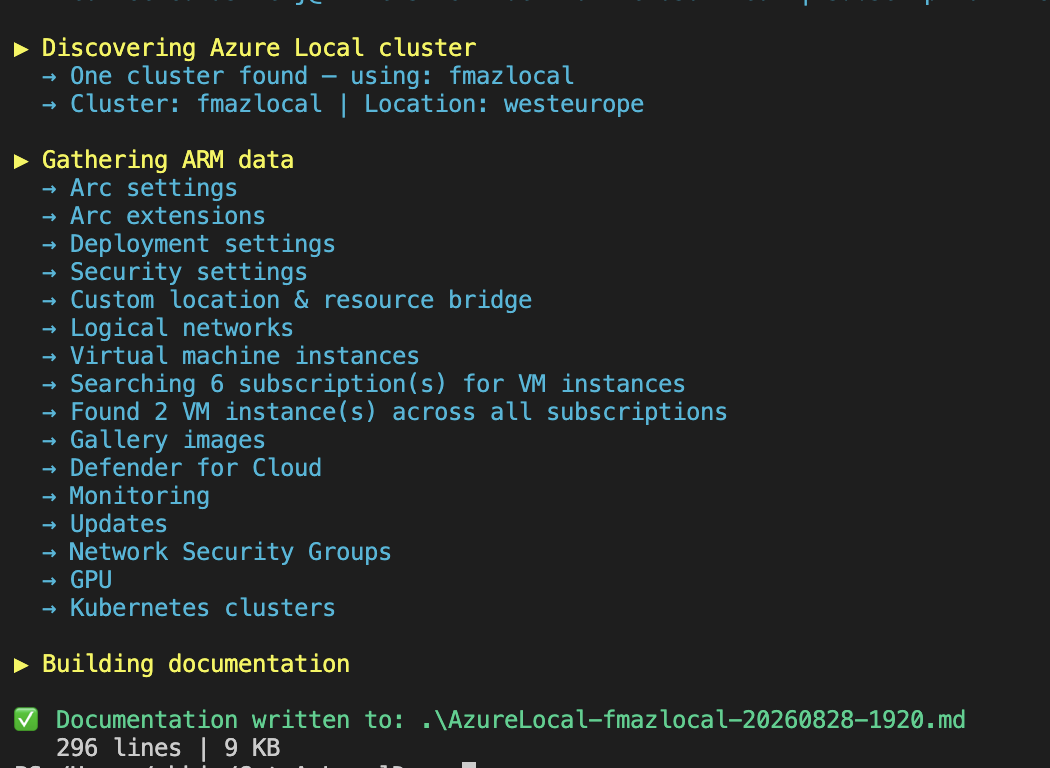
This is the quickest way to get started. Authenticate with your own account and point the script at the resource group:
.\Get-AzLocalDoc.ps1 -ResourceGroupName "rg-azlocal-prod" -ClusterName "hci-cluster-01"If -ClusterName is omitted, the script will auto-detect the cluster from the resource group.
With on-node data
To include storage pools, physical disks, volume details, and per-node network adapter information, add -IncludeNodeData:
.\Get-AzLocalDoc.ps1 `
  -ResourceGroupName "rg-azlocal-prod" `
  -ClusterName "hci-cluster-01" `
  -IncludeNodeData `
  -NodeCredential (Get-Credential)
HINT
-IncludeNodeDataconnects to the first cluster node for S2D data. All nodes share the same storage pool view, so one connection is enough.
Service principal authentication
For automation scenarios or cross-tenant use:
$cred = New-Object PSCredential(
    "your-app-id",
    (ConvertTo-SecureString "your-secret" -AsPlainText -Force)
)

.\Get-AzLocalDoc.ps1 `
  -ResourceGroupName "rg-azlocal-prod" `
  -TenantId "your-tenant-id" `
  -ServicePrincipal `
  -Credential $cred
Custom output path
By default, the report is written to .\AzureLocal-<ClusterName>-YYYYMMDD-HHmm.md in the current directory. Override this with -OutputPath:
.\Get-AzLocalDoc.ps1 -ResourceGroupName "rg-azlocal-prod" -OutputPath "C:\docs\cluster.md"What the report covers
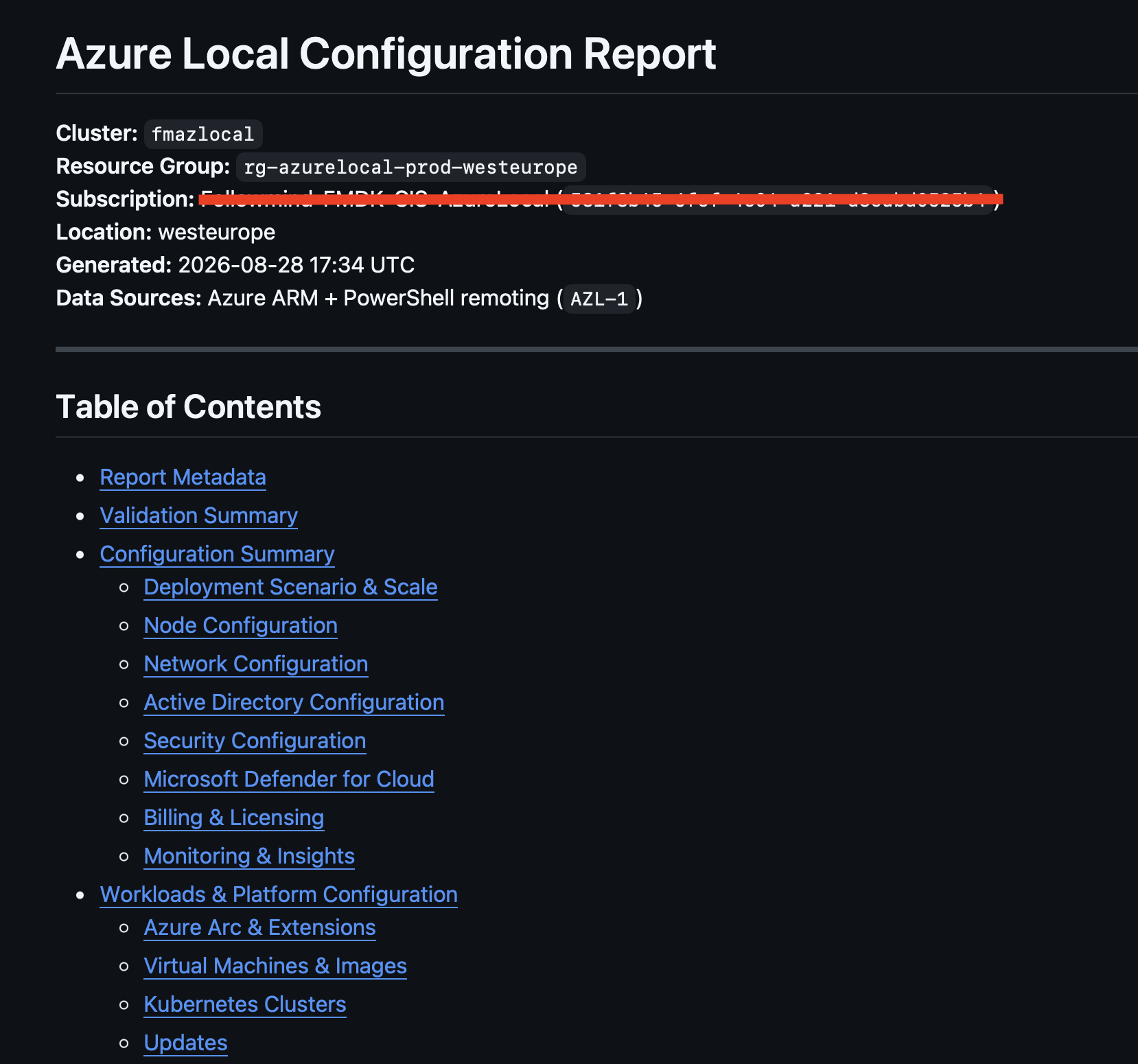
The output is a structured Markdown file you can paste into a wiki, commit to a repo, or attach to a ticket. Here is what each section contains:
| Section | Contents |
|---|---|
| Report Metadata | Cluster identity, connectivity status, provisioning state, billing model, cluster version, IMDS attestation, custom location, Arc resource bridge, tags |
| Validation Summary | Live status checks: connectivity, provisioning, Arc state, extension health, updates, Defender, logical networks |
| Deployment Scenario & Scale | Deployment mode, node count, storage mode, capabilities, attestation endpoint |
| Node Configuration | Per-node: IP, hardware model, OS version, serial number, CPU cores, memory, OEM activation |
| Network Configuration | Storage auto IP, switchless config, per-intent adapter and RDMA details, storage VLANs, infrastructure IPs, logical networks, NSGs |
| Active Directory | Domain FQDN, OU path, secrets location |
| Security Configuration | BitLocker, Credential Guard, DRTM, HVCI, WDAC, SMB signing and encryption |
| Microsoft Defender for Cloud | Per-plan status: Servers, Containers, SQL, Kubernetes, DNS, Storage |
| Billing & Licensing | Billing model, trial days, last billing, software assurance, Windows Server Subscription |
| Monitoring & Insights | Azure Monitor agent status, Data Collection Rules |
| Workloads & Platform | Arc extensions, VMs and gallery images (cross-subscription), Kubernetes clusters, applied and available updates, storage |
See the example report in the repo for a full sample output.
Parameter reference
| Parameter | Required | Description |
|---|---|---|
-ResourceGroupName | ✅ | Resource group containing the cluster |
-ClusterName | Cluster name — auto-detected if omitted | |
-SubscriptionId | Override the Az context subscription | |
-TenantId | Required for cross-tenant authentication | |
-ServicePrincipal | Use service principal instead of interactive login | |
-Credential | With -ServicePrincipal | AppId and secret as PSCredential |
-IncludeNodeData | Collect on-node data via PowerShell remoting | |
-NodeCredential | Credential for HCI node remoting | |
-OutputPath | Output file path (default: .\AzureLocal-<cluster>-<date>-<time>.md) |
A few things to be aware of
- ARM-only mode does not capture physical NIC details, storage pool internals, or per-node OS-level configuration — use
-IncludeNodeDatafor that. - Secrets, passwords, and sensitive keys are never included in the output. Azure ARM does not return these values.
- Some resource types may require specific API versions depending on your cluster’s registration age. If you hit an error on a specific section, check the cluster’s ARM API version support.
The script is MIT licensed. If you run into issues or have ideas for additional sections, the repo is open to contributions: https://github.com/chkja/Get-AzLocalDoc
Have feedback on this post?
Send me a message and I'll get back to you.