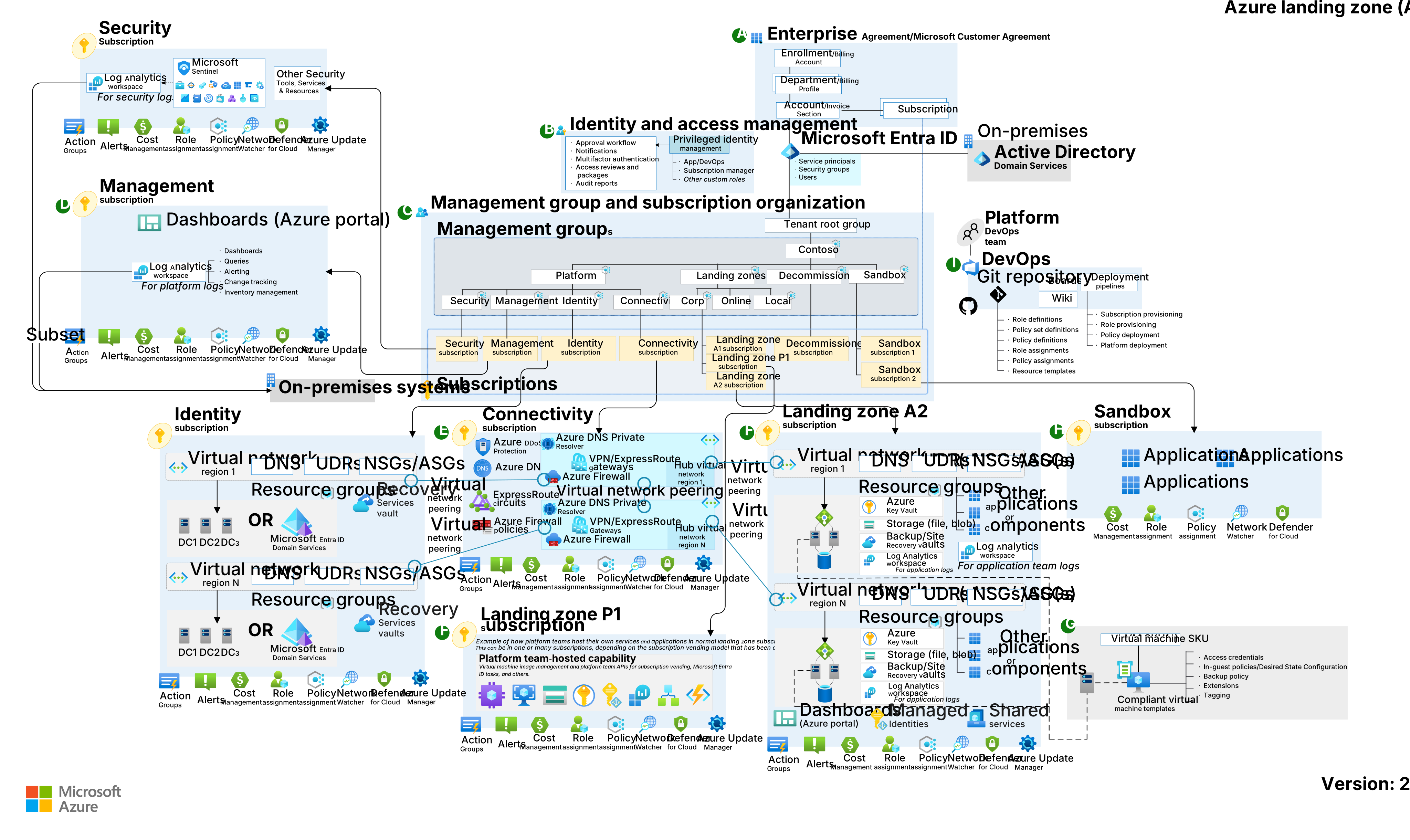
Azure Local - Landing zone in practice; deploying VMs into Tier 0 and Tier 1 subscriptions
- Intro
- The management group hierarchy in practice
- Deploying VMs into Tier 0 and Tier 1
- RBAC on the Tier 0 resource group
- What this confirms
Intro
This article is part of a series: Navigate to series page
In my previous article I described the landing zone design I would use for Azure Local — with a dedicated Local management group, one child management group per cluster, and four subscriptions beneath it: ControlPlane, Tier 0, Tier 1, and Tier 2. That article was primarily conceptual. This one shows what it looks like in practice.
I have now deployed virtual machines from an Azure Local cluster into the Tier 0 and Tier 1 subscriptions and I want to show you exactly how the management group hierarchy looks, how the VMs land in their respective subscriptions and resource groups, and what the RBAC assignment looks like on the resource group level.
The management group hierarchy in practice
The management group hierarchy I described in the design article now exists. Under LZ-AZL1-WEU-PROD there are four subscriptions:
Fellowmind-FMDK-CIS-AzureLocal-ControlPlane— this is where the Azure Local cluster object livesFellowmind-FMDK-CIS-AzureLocal-Tier0— identity and tier 0 workloadsFellowmind-FMDK-CIS-AzureLocal-Tier1— general servers and applicationsFellowmind-FMDK-CIS-AzureLocal-Tier2— reserved for Azure Virtual Desktop session hosts
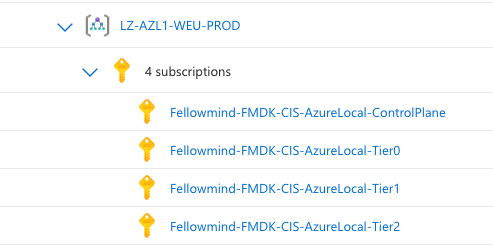
The cluster object and its custom location sit in Fellowmind-FMDK-CIS-AzureLocal-ControlPlane. This is what I call the control plane subscription. Everything the platform team needs to operate the cluster lives here. The workload subscriptions — Tier 0, Tier 1, and Tier 2 — are separate and scoped to their respective workloads.
Deploying VMs into Tier 0 and Tier 1
With the cluster’s custom location registered in the ControlPlane subscription, I can deploy Arc-enabled VMs from the portal and point the VM resource at any of the workload subscriptions. The custom location still resolves back to the same physical cluster — the subscription separation is a governance boundary, not a separate cluster.
I deployed two VMs to demonstrate this:
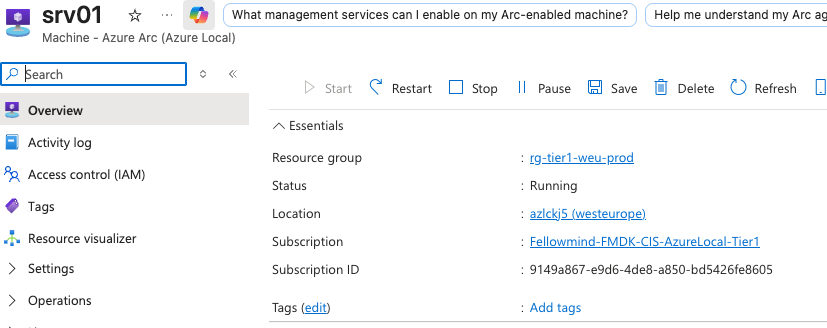
dc02— a domain controller, deployed into the Tier 0 subscription (Fellowmind-FMDK-CIS-AzureLocal-Tier0) and the resource grouprg-tier0-weu-prodsrv01— a general server, deployed into the Tier 1 subscription (Fellowmind-FMDK-CIS-AzureLocal-Tier1) and the resource grouprg-tier1-weu-prod
Both VMs are visible in the Azure portal under the Azure Local cluster’s VM list:

Both show status Running, operating system Windows, and their respective resource groups in the list. From this view alone you can see the tier separation is working as intended.
Tier 0 — dc02
Looking at dc02 in detail, the Subscription field clearly shows Fellowmind-FMDK-CIS-AzureLocal-Tier0 and the Resource group is rg-tier0-weu-prod. The Virtual machine kind still reads Azure Local, confirming the VM is running on the on-premises cluster even though it lives in the Tier 0 subscription.
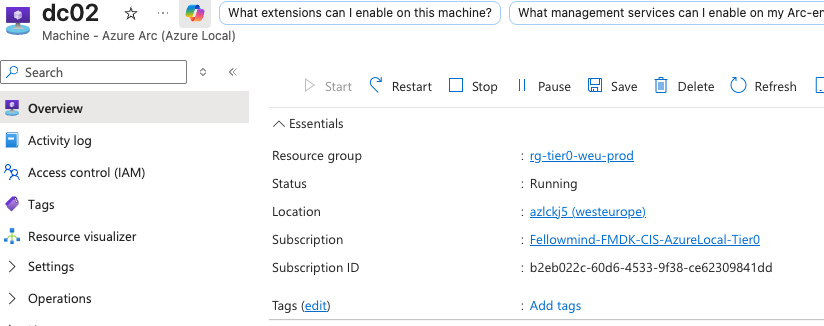
The subscription is shown in the portal as:

Tier 1 — srv01
srv01 follows the same pattern. The Subscription is Fellowmind-FMDK-CIS-AzureLocal-Tier1 and the Resource group is rg-tier1-weu-prod. Same cluster, same custom location, different governance scope.
RBAC on the Tier 0 resource group
Having a separate subscription and resource group per tier only matters if the access control reflects the tier boundaries. On rg-tier0-weu-prod I have assigned the security group LZ-AZL1-WEU-PROD-Tier0-ArcOperators the following roles:
Azure Connected Machine Resource Administrator— grants rights to manage the Arc-enabled machine resourceVirtual Machine Administrator Login— grants local administrator login rights to the VM

This group is scoped to the Tier 0 resource group only. Operators who manage domain controllers in Tier 0 have no standing access to rg-tier1-weu-prod or the ControlPlane subscription. That is the point of the tier boundary — the subscription and resource group structure enforces it, and RBAC locks it down.
HINT
Use PIM (Privileged Identity Management) to make the role assignments eligible rather than permanent. That way access to Tier 0 VMs requires an approval step and leaves an audit trail in Entra ID.
What this confirms
Running through this in a real environment confirms a few things from the design article:
- The cluster object living in the ControlPlane subscription does not prevent VM resources from landing in any of the workload subscriptions. The custom location is subscription-agnostic from the VM’s perspective.
- The portal VM list on the Azure Local cluster shows all VMs regardless of which subscription they belong to. Operations teams can still get a cluster-wide view of their VMs.
- Policy assignments are correctly scoped. A policy assigned at the Tier 0 subscription applies only to Tier 0 resources.
- RBAC is cleanly expressible within each workload subscription.
Final remark: The design only works well if the subscription and resource group structure is in place before the first VM is deployed. Arc-enabled VMs on Azure Local cannot be moved between subscriptions or resource groups after creation, so getting the placement right on day one is essential. Plan the management group hierarchy, create the subscriptions, set up the RBAC groups, and only then start deploying workload VMs.
Have feedback on this post?
Send me a message and I'll get back to you.