Azure Local - Insights and Logging - Part 2 - Log Alerts
Intro
This article is part of a series: Navigate to series page
Monitoring your Azure Local health and performance is crucial to detect and fix issues before they become reason for outages. In this article, I will be showing how to get started with log based alerting in Azure Local.
In part 1 I wrote about how to configure log collection - this is a mandatory step before you can use the features outlined in this article.
Get the KQL and create the alert
To configure Azure Local alert rule that looks into data from Log Analytics, we must use a language called KQL (Kusto Query Language). In some ways it like working with MS SQL queries. Writing your own queries can be a challenge, so I will show a way to get some started without writing queries from scratch.
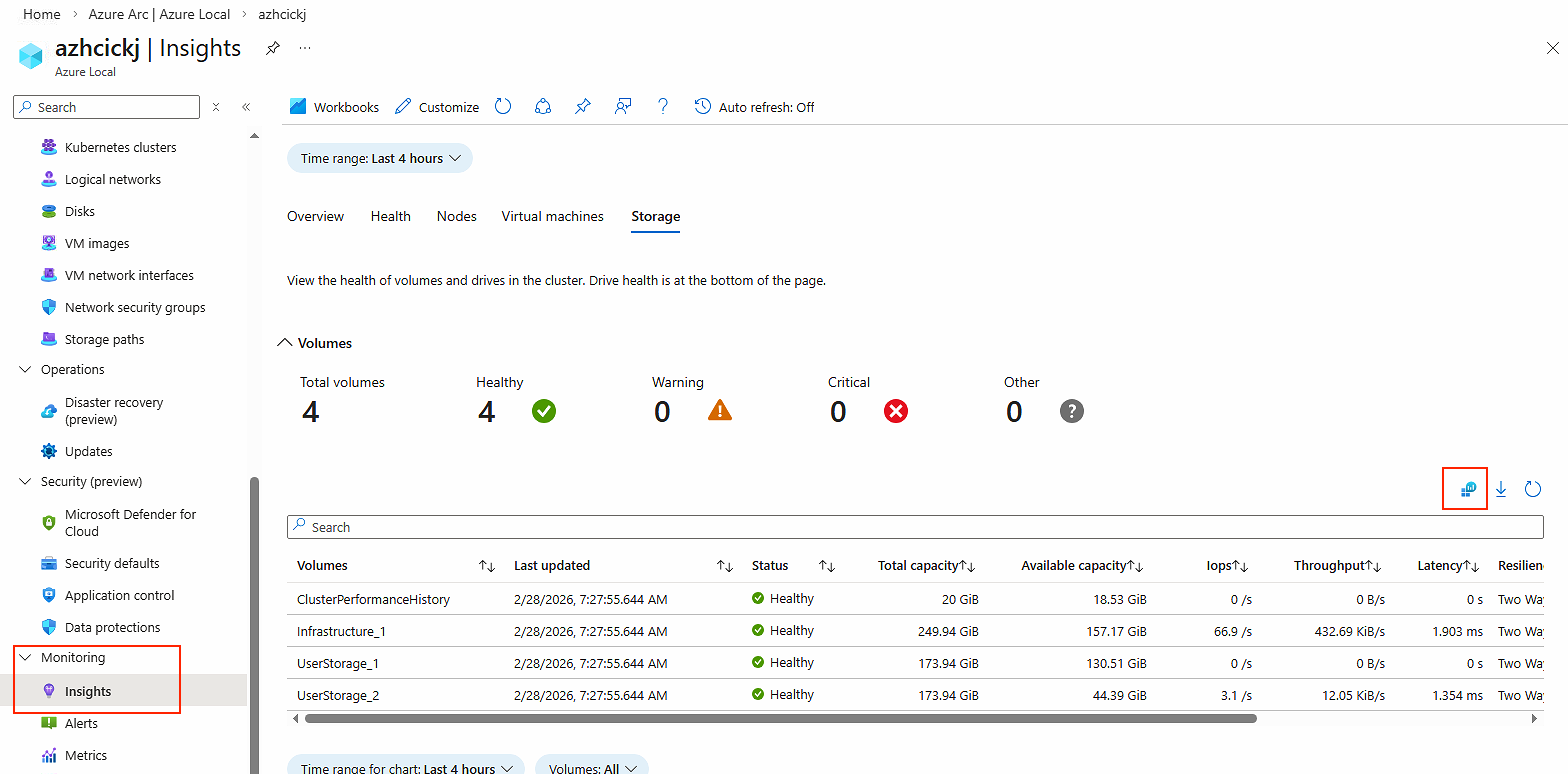
- Navigate to your Azure Local instance, when Monitoring > Insights. I’m selecting Storage view for this task. Select the small icon for LAW (highlighted with red on the picture below)
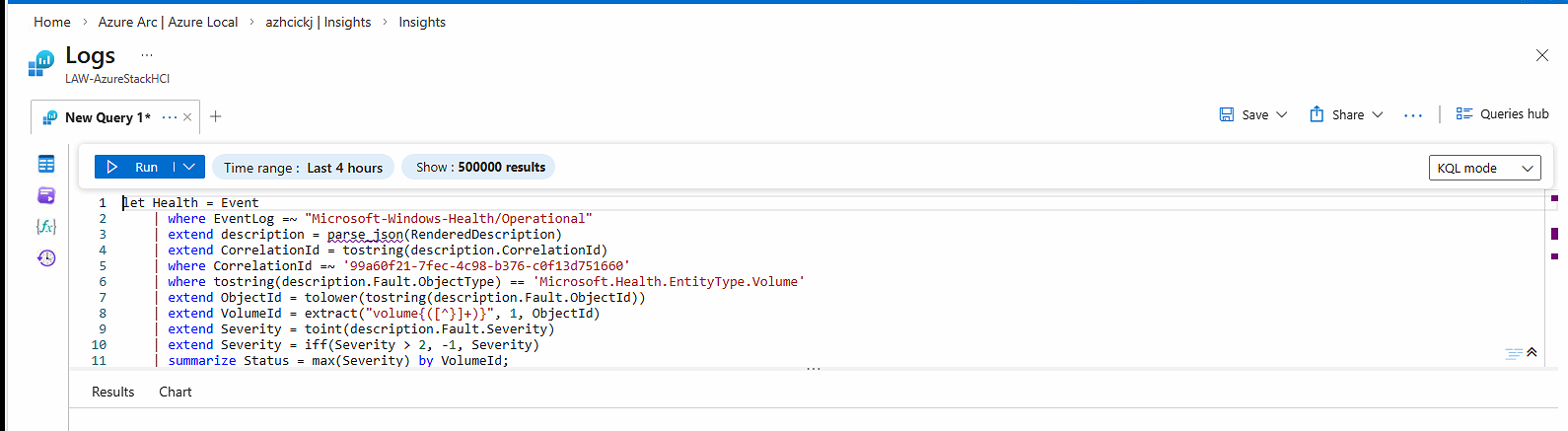
- Switch to KQL mode from simple mode, and then run the query. Now you can see the actual KQL query that was used to pull the data and the result of that query

- Hit the 3 dots and select
New Alert Rule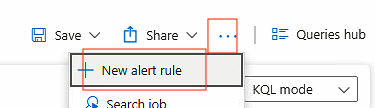
- You will be guided to another page where you can create the alert rule. Since I wanted to make the query more about the status field, I modified the KQL using AI tools. My modified version of the query is here:
Event
| where EventLog == "Microsoft-Windows-SDDC-Management/Operational"
| where EventID == 3002
| where _ResourceId !contains "/Microsoft.AzureStackHCI/"
| where EventData has "azhcickj"
| project TimeGenerated, EventData, RenderedDescription
| extend x = parse_xml(EventData)
| extend ClusterArmId = tostring(x.DataItem.UserData.EventData["ArmId"])
| where ClusterArmId == "/subscriptions/581f8b45-6fef-4e04-a221-d3eabd0525b4/resourcegroups/rg-ckj-azl-lab-westeurope/providers/microsoft.azurestackhci/clusters/azhcickj"
| summarize arg_max(TimeGenerated, RenderedDescription) by ClusterArmId
| extend volumes = parse_json(RenderedDescription).VolumeList
| mv-expand volumes
| extend VolumeId = tostring(volumes.m_Id)
| join kind=inner (
    Event
    | where EventLog == "Microsoft-Windows-Health/Operational"
    | where RenderedDescription has "99a60f21-7fec-4c98-b376-c0f13d751660"
    | extend d = parse_json(RenderedDescription)
    | where tostring(d.Fault.ObjectType) == "Microsoft.Health.EntityType.Volume"
    | extend VolumeId = extract(@"volume{([^}]+)}", 1, tostring(d.Fault.ObjectId))
    | extend Severity = toint(d.Fault.Severity)
    | extend Status = iff(Severity > 2, -1, Severity)
    | summarize Status = max(Status) by VolumeId
) on VolumeId
| project TimeGenerated, VolumeId, Status- Replace the KQL query with the updated version I provided you here. Also make sure
Measureis changed toStatus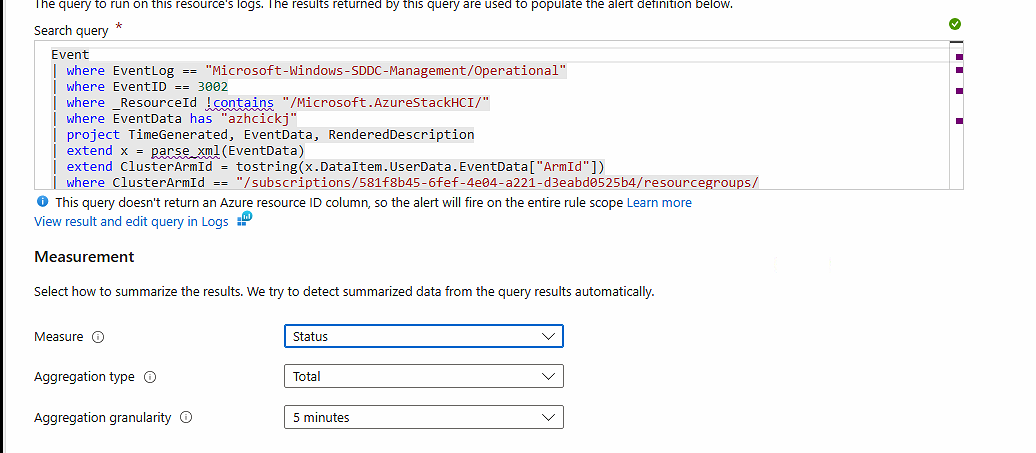
- Set
threshold valueto 0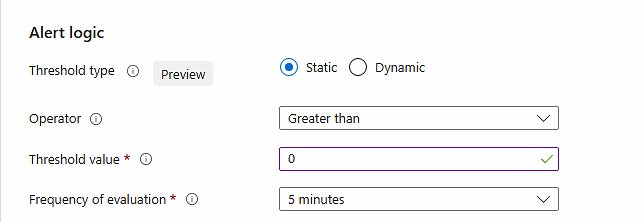
- Go through the rest of the Wizard
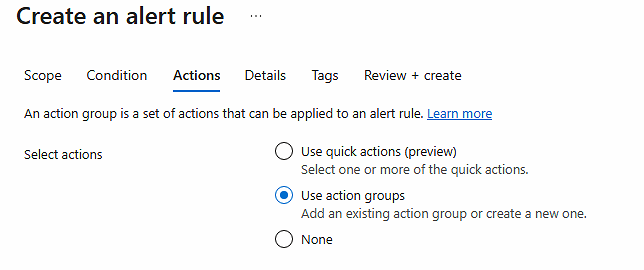
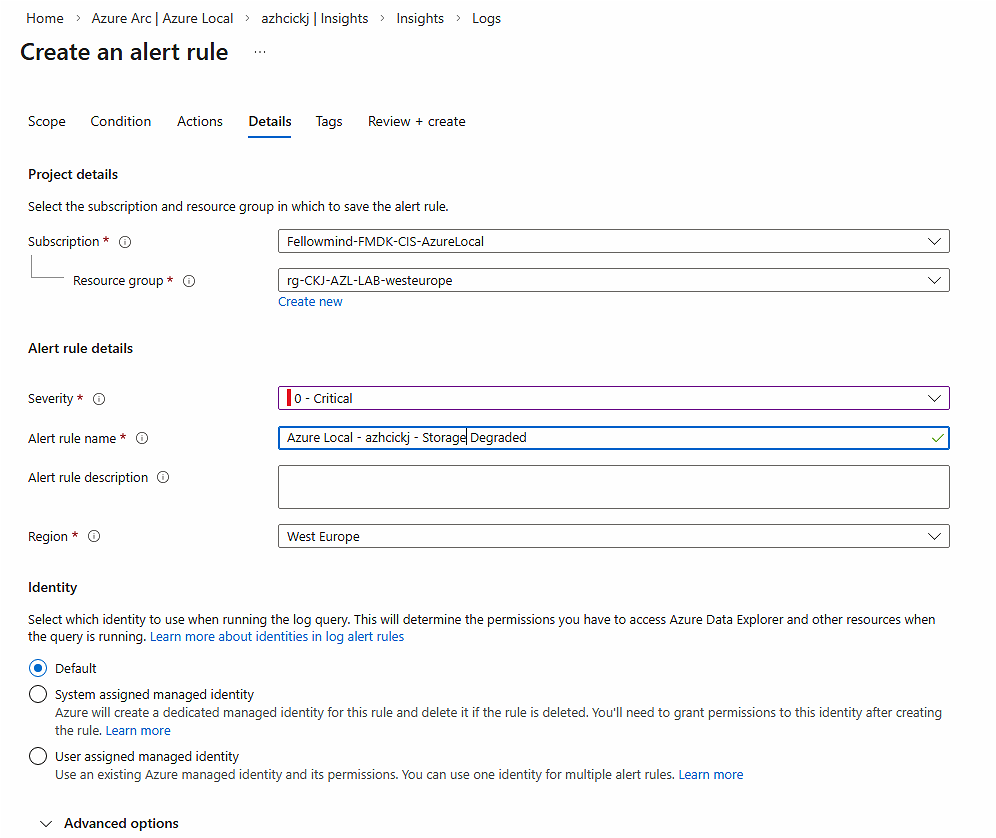
- Now you have created an alert rule for Azure Local based on log data

Have feedback on this post?
Send me a message and I'll get back to you.