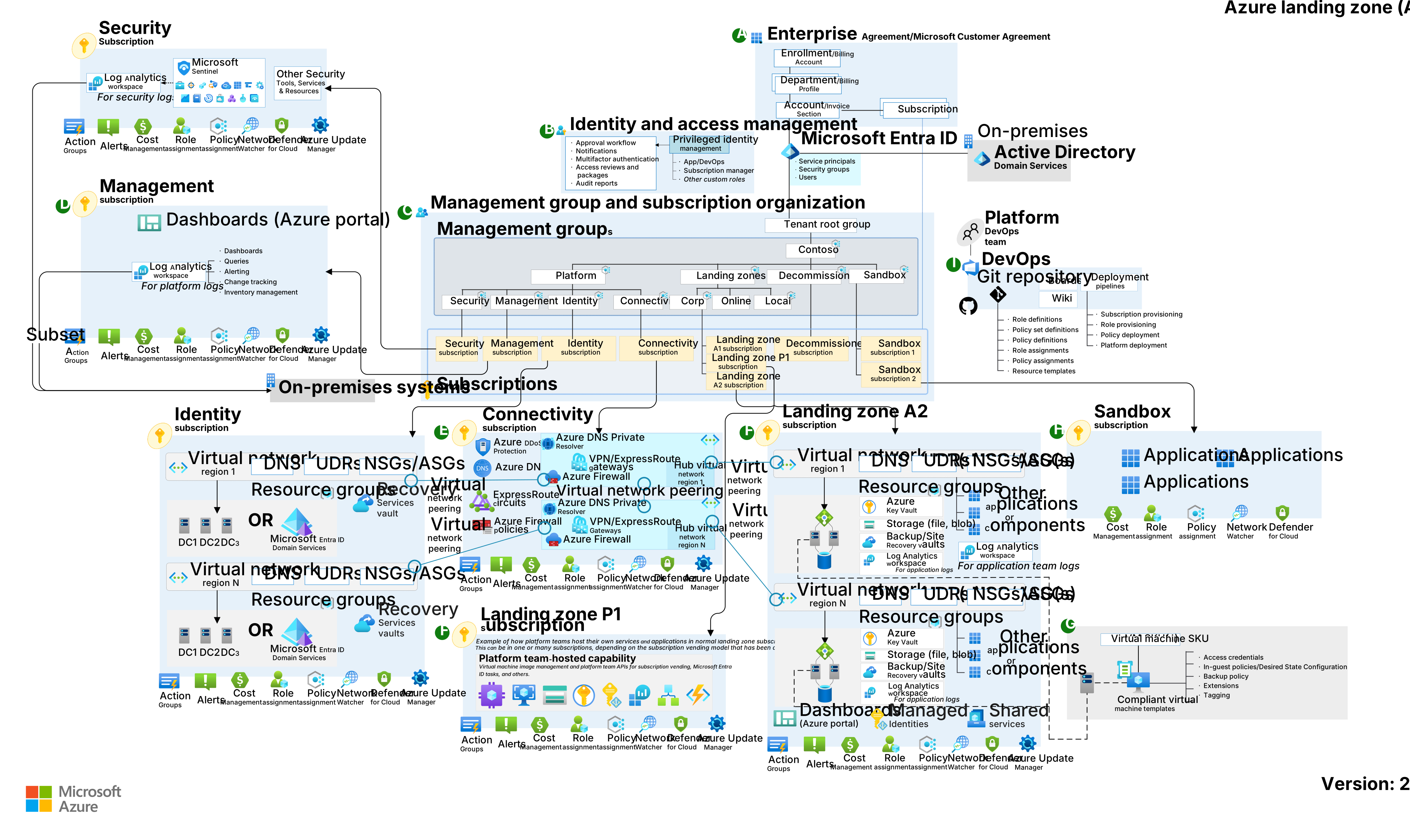
Azure Local - Landing zone design with the Local management group and tiered subscriptions
- Intro
- What Microsoft changed
- Tiered subscriptions on a single Azure Local cluster
- The landing zone pattern I would use
- How I would apply this in practice
- Caveats I would still respect
- Recommendation
Intro
This article is part of a series: Navigate to series page
Microsoft recently updated the Azure landing zone guidance with a new dedicated Local management group and refreshed sovereign policies. At the same time, the Azure Local VM provisioning experience has changed in a way that has a real impact on landing zone design: when I deploy an Arc-enabled virtual machine on top of an Azure Local cluster, I can now pick a subscription and resource group that are different from the one the cluster lives in. The custom location still points at the cluster, but the workload resources land where I choose.
That single change unlocks a tiered subscription design for Azure Local that was not technically possible before. In this article I will walk through what changed, what the new Local management group is for, and the landing zone pattern I would use to separate cluster, tier 0, and tier 1 workloads on a single Azure Local cluster.
HINT
I am focusing here on Azure Local specifically, not on generic Arc-enabled servers in Azure public cloud. Microsoft’s guidance makes a distinction between the two.
What Microsoft changed
The new Azure landing zone update does two important things:
- It adds a dedicated Local management group beneath Landing Zones.
- It refreshes the sovereign policies in SLZ so they align to sovereign control levels 1, 2, and 3.
That gives Azure Local a clearer home in the ALZ hierarchy, and it gives sovereign workloads a more explicit policy model.
The part that matters most for Azure Local is the new Local management group. Microsoft describes it as a place for:
- Azure Local clusters and the workloads that run on top of them
- Exit-ready workloads in Azure public cloud that may later need to move to Azure Local disconnected operations
Microsoft also states that Azure Arc-enabled resources such as servers should not be dumped into the Local management group as one central bucket. Their recommendation is to keep those resources with their existing application landing zones.
I think that distinction is important. The new group is a governance scope, not a magic placement layer for every Arc resource you own.
Related reading:
- New Local Management Group for ALZ & Updated Sovereign Policies for SLZ
- Azure Local - Design the infrastructure
Tiered subscriptions on a single Azure Local cluster
When I deploy an Arc-enabled virtual machine on Azure Local from the portal, the Create an Azure Arc virtual machine wizard now lets me select a subscription and resource group separately from the custom location:
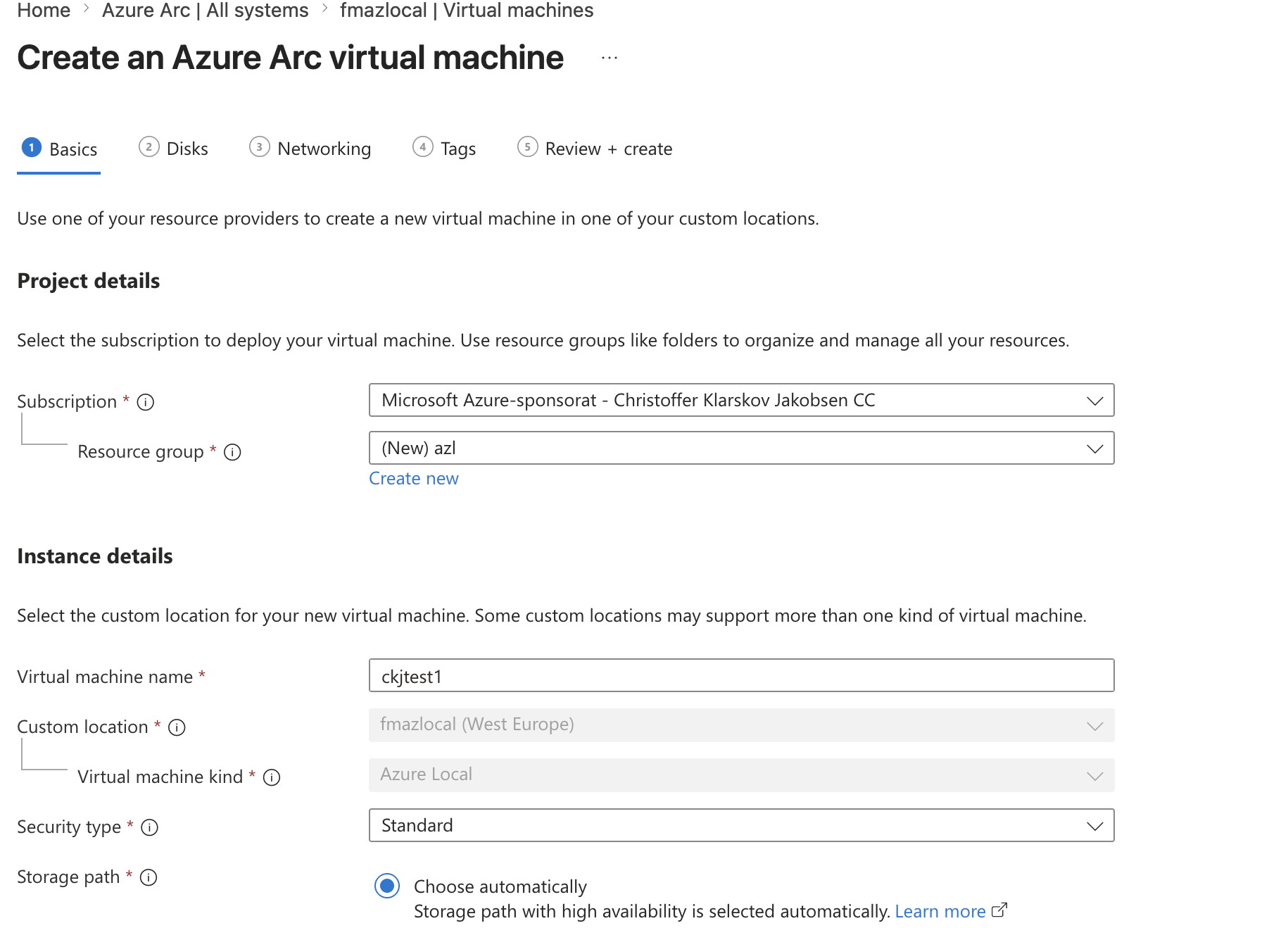
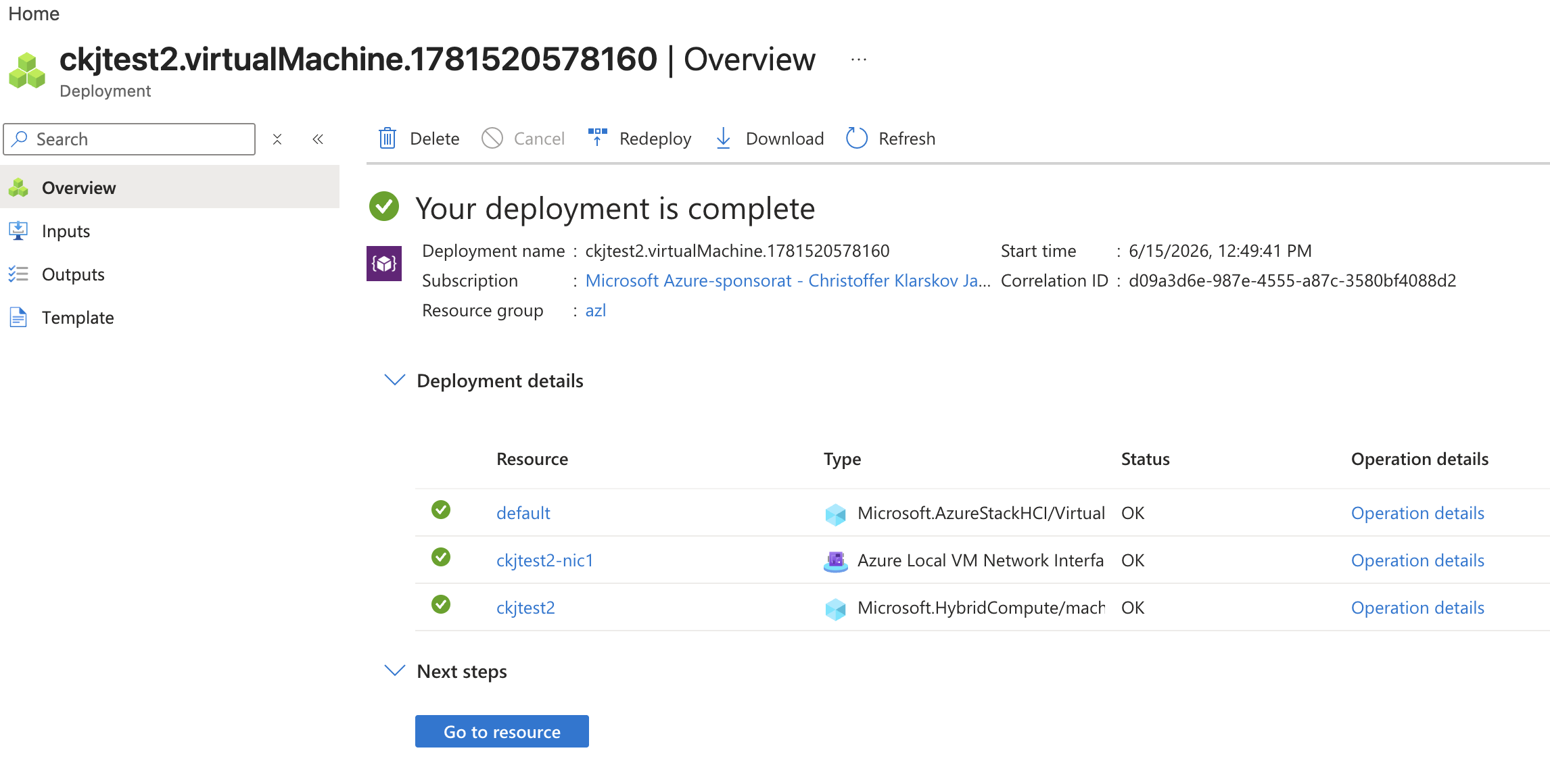
The custom location dropdown still points at the cluster, but I can target any subscription and resource group I have rights to as the home of the VM resource itself. After the deployment finishes, all VM-related resources land in that target subscription and resource group:
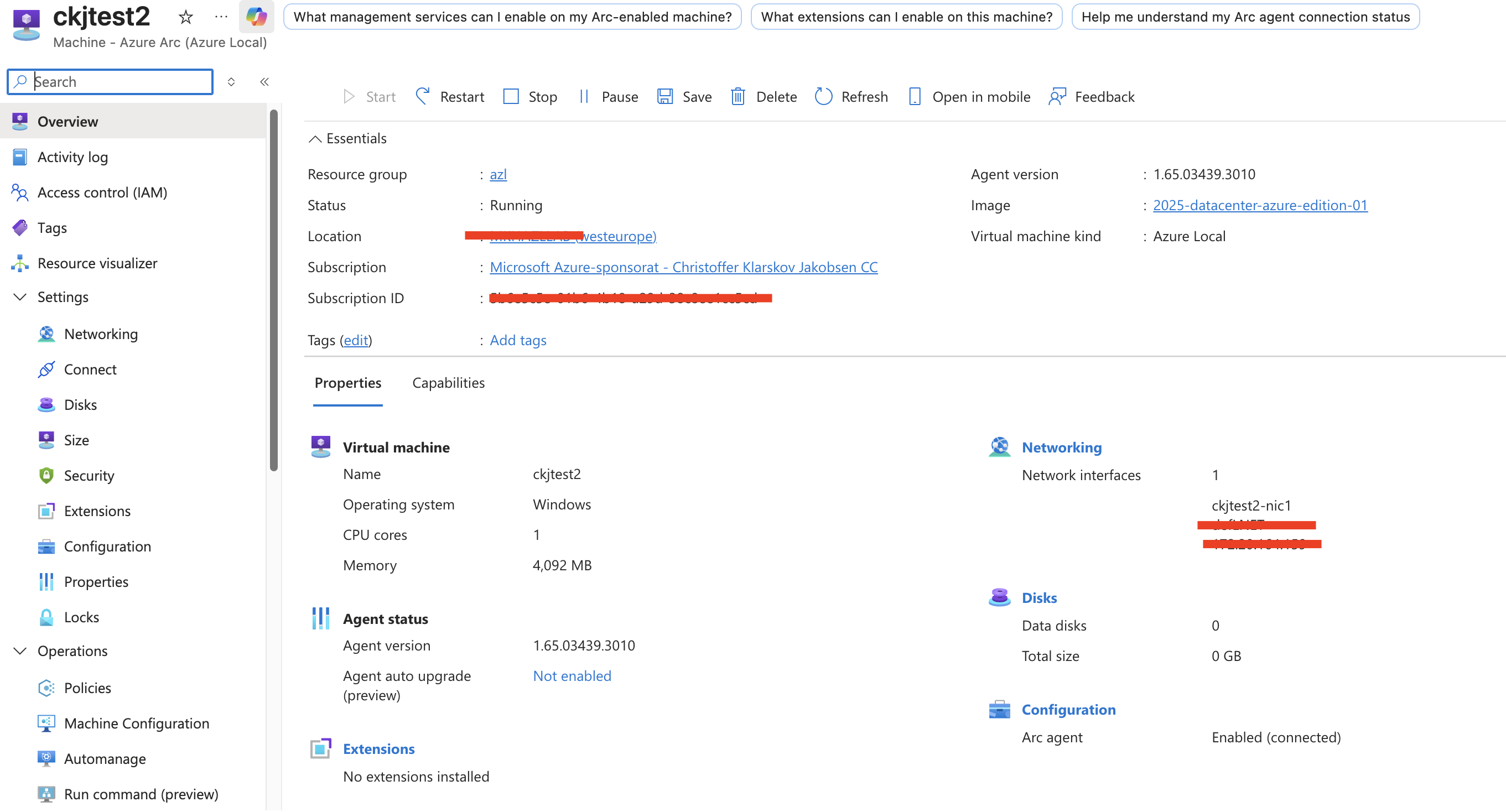
Looking at the deployed Arc-enabled VM, the Subscription and Resource group on the resource clearly differ from the cluster’s home, while Virtual machine kind still reads Azure Local:
The Azure Local VM network interface follows the VM into the same target resource group:

And the VM shows up in the target resource group’s VM list as a normal Azure Local VM:

The practical effect is this: I can keep the Azure Local cluster and its custom location in a dedicated platform subscription, and place workloads into separate Tier 0, Tier 1, and Tier 2 subscriptions under the same cluster scope. The cluster does not need to be split, and the workloads still consume the same custom location. That gives me a real subscription-level boundary between tiers — including a dedicated home for Azure Virtual Desktop session hosts as Tier 2 — without the operational cost of running multiple physical clusters.
HINT
The custom location is still owned by exactly one cluster, and there is still one custom location per cluster. Tiering is achieved by where the VM resource lives, not by duplicating the custom location.
The landing zone pattern I would use
This is the pattern I would now use for Azure Local under the new Local management group:
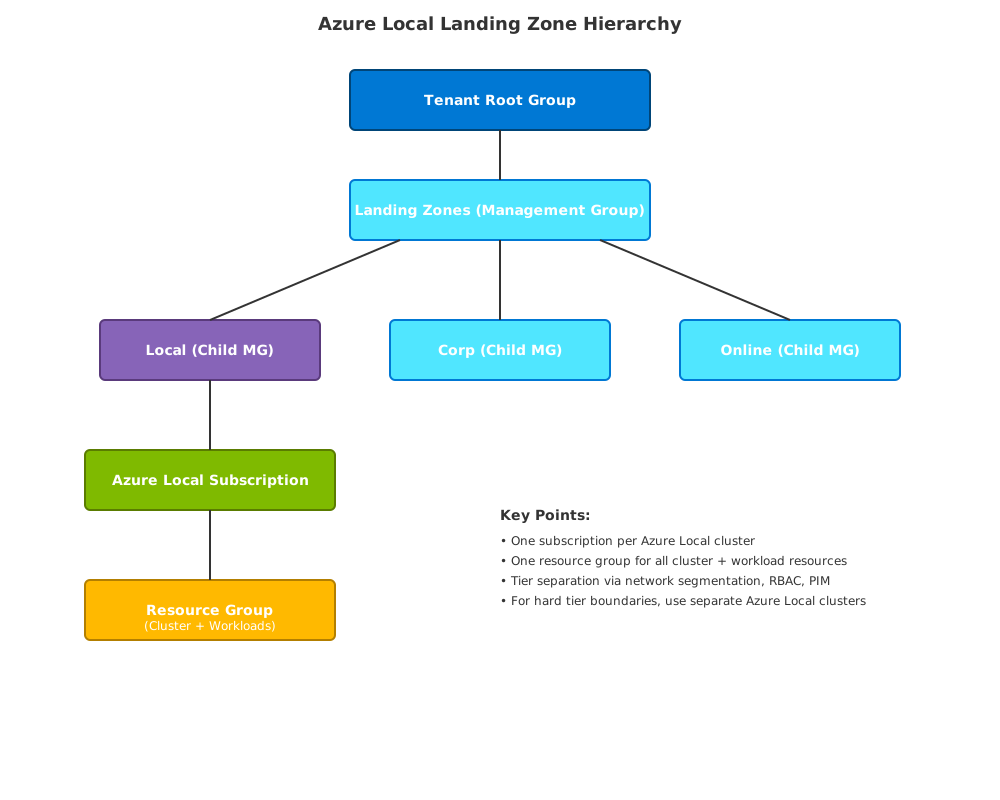
The hierarchy I land on is:
- Local child MG under Landing Zones as the governance anchor for everything Azure Local.
- One child management group per Azure Local cluster under Local, so each physical cluster gets its own scope for policy, RBAC, and Defender for Cloud.
- Under each cluster MG, four subscriptions:
- Platform subscription — owns the Azure Local cluster, its custom location, and shared platform resources.
- Tier 0 subscription — domain controllers, identity, secrets, and other tier 0 workloads.
- Tier 1 subscription — general servers and applications.
- Tier 2 subscription — Azure Virtual Desktop session hosts deployed as Arc VMs on Azure Local.
Each workload subscription has its own resource group structure, its own RBAC, and its own policy assignments inherited from the cluster MG and Local. The cluster lifecycle is owned by the platform team, and the workload teams can move within their own subscription without touching the cluster.
When a second Azure Local cluster is onboarded, I create another cluster child MG under Local and repeat the same Platform / Tier 0 / Tier 1 / Tier 2 subscription pattern beneath it. That keeps each cluster cleanly scoped and makes per-cluster policy or RBAC differences trivial to express.
HINT
Cross-subscription RBAC for the Custom Locations RP still needs to be in place so that the Tier 0/1/2 subscriptions can deploy against the cluster’s custom location in the Platform subscription. Plan for that as part of the platform onboarding.
How I would apply this in practice
If I had to implement this from scratch, I would do it in this order:
- Create or reuse the Local management group beneath Landing Zones.
- For each Azure Local cluster, create a dedicated child MG under Local (for example,
Azure Local Cluster A). - Under each cluster MG, create the four subscriptions: Platform, Tier 0, Tier 1, and Tier 2 (AVD session hosts).
- Assign Azure Policy, RBAC, and Defender for Cloud at Local for shared baselines, and at the cluster MG for cluster-specific guardrails.
- Grant the Tier 0/1/2 subscriptions the rights they need to deploy against the platform cluster’s custom location.
- Deploy Arc-enabled VMs from the right tier subscription, picking the cluster’s custom location at deploy time.
- Use network segmentation, PIM/RBAC (ensure access is granted via PIM approval), and application-level controls for additional defence in depth.
That pattern gives me a consistent governance layer, a real subscription-level tier boundary, and a single cluster footprint per cluster MG to operate.
Caveats I would still respect
A few things that have not changed and that I would still design around:
- One custom location per Azure Local cluster. Tiering happens at the workload subscription level, not by duplicating the custom location.
- Resources still cannot be moved between subscriptions or resource groups after creation. Pick the right target sub and RG at deploy time, because moving an Arc-enabled VM later is not supported.
- Hard isolation may still warrant separate clusters. If the trust boundary requires physical separation (for example, OT/IT split, regulated workloads on dedicated hardware), I would still deploy a second Azure Local cluster instead of trying to solve it purely with subscriptions.
Recommendation
My recommendation is:
- use Local as the Azure Local governance anchor
- create one child MG per Azure Local cluster under Local
- under each cluster MG, use a Platform subscription for the cluster and custom location, and Tier 0, Tier 1, and Tier 2 subscriptions for the workloads (where Tier 2 is typically AVD session hosts)
- use separate clusters when the trust boundary must be physical
- use network segmentation, PIM, RBAC, and application-level controls as defence in depth, regardless of subscription layout
That keeps the design aligned with the new ALZ guidance, takes advantage of the new cross-subscription deployment behaviour, and still respects the practical limits of Azure Local and Azure Arc.
Final remark: The new Local management group plus cross-subscription Arc VM deployment is a meaningful change. For Azure Local, I now want my management groups, platform subscription, and tier subscriptions designed before I deploy the cluster, so workload teams can land their VMs in the right subscription on day one without ever having to refactor later.
Have feedback on this post?
Send me a message and I'll get back to you.